Quick Inquiry

English

English

繁體中文

日本語

Deutsch

Español

한국어

Français

Products
Solutions & Success Stories
Corporate
Support
News & Events
Products
Solutions & Success Stories
Corporate
Support
News & Events

IK70SB7-111
Intel® Core™ i7-7700T Standard Box PC

Winmate IK70SB7-111 is an Intel® Core™ i7-7700T Standard Box PC designed for industrial automation, embedded systems, and mission-critical applications. This product helps industrial buyers, OEMs, and system integrators select a reliable Winmate solution for rugged, embedded, or mission-critical environments where performance, durability, and long lifecycle availability matter. Best for: The IK70SB7-111 is best suited for industrial automation, embedded systems, and mission-critical applications, especially when teams need stable hardware integration, dependable field operation, and a supplier with industrial computing experience. Key specifications: Important product highlights include Intel® 7th Gen. Core™ i7/i5/i3 (Kaby Lake) processor, Standard Box PC, Flexible storage devices, one 2.5-inch SSD/HDD and one M.2 SSD, Multiple I/Os, 2 x Serial Port , 4 x USB 3.0, 12V DC Power input, DP++ Support 4096 x 2304@60Hz, and HDMI Support 4096 x 2304@60Hz. SEO search intent: This content is optimized for users searching for IK70SB7-111, Winmate IK70SB7-111, Winmate industrial embedded computer, industrial embedded computer, Intel® Core™ i7-7700T, and industrial embedded computer for industrial automation, and for purchase-intent queries related to industrial-grade Winmate hardware, rugged computing, embedded systems, and application-ready product solutions.
Discontinued (EOL)

Sorry, This item is not available anymore for purchase. Please see our other related products. For more information, please get in touch with us.

KEY FEATURES

  • Intel® 7th Gen. Core™ i7/i5/i3 (Kaby Lake) processor, Standard Box PC
  • Flexible storage devices, one 2.5-inch SSD/HDD and one M.2 SSD
  • Multiple I/Os, 2 x Serial Port , 4 x USB 3.0
  • 12V DC Power input
  • DP++ Support 4096 x 2304@60Hz
  • HDMI Support 4096 x 2304@60Hz
  • Thermal solution with system fan & CPU fan

    CERTIFICATIONS

  • FCC
    CE

IK70SB7-111

Intel® Core™ i7-7700T Standard Box PC
Winmate Standard Box PC IK70SB7-111 with Suitable Form Factor

Optional with Modular front Display as a Panel PC

Winmate motherboards are the smallest industrial motherboard form factor.


Winmate Standard Box PC IK70SB7-111 with AI-Enabled Kiosk

For AI-Enabled Kiosks

Kiosk terminals are increasing in popularity due to the growing demand for self-service applications. Self-service Kiosks are increasingly common in retail stores, hospitals, and workplaces such as warehouses and factories. Kiosks are part of daily life.


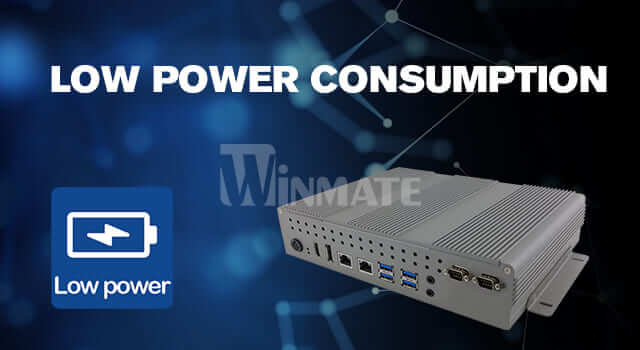
Winmate Standard Box PC IK70SB7-111 with Low Power Consumption

Ultra-low-power design for an energy efficiency ratio

The IB/IK Series is an Intel-based CPU and reduces power consumption for midrange automation and industrial target markets.


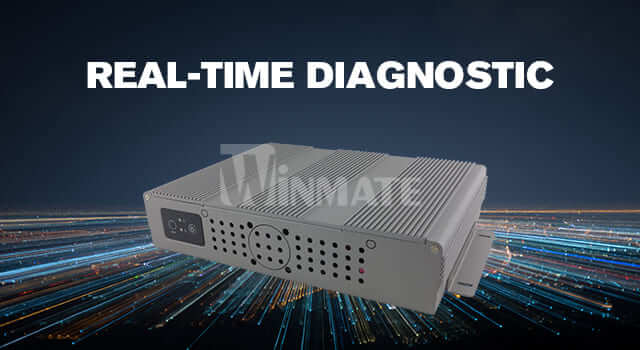
Winmate Standard Box PC IK70SB7-111 with Real-time Diagnostic

Get Key Equipment Status in Real-Time

With sensing devices connected to the cloud, the equipment's status can be automatically returned to the cloud platform or control site for the real-time monitoring of the operating status.

System Specification

Processor

Intel Core i7-7700T 2.9 GHz (up to 3.8GHz) (Default)
Intel Core i5-7500T 2.7GHz (up to 3.3GHz) (Optional)
Intel Core i3-7100T 3.4GHz (Optional)

Chipset

Intel® C236

Memory

1 x SO-DIMM, DDR4 2166 MHz, 4GB (Default)
8GB (Optional)
16GB (Optional)
32GB (Optional)
2 x SO-DIMM, DDR4 2166 MHz, 4GB (Optional)
8GB (Optional)
16GB (Optional)
32GB (Optional)
64GB (Optional)

Storage

1 x M.2 2242 B-key SSD 128GB (Default)
256GB (Optional)
512GB (Optional)
1 x SATA III for 2.5" SSD / HDD (Optional)
2 x SATA III support RAID 0,1 (Optional)

Ethernet controller

2 x Intel® Ethernet Controller

Security

TPM 2.0

Operating System

Windows 10 IoT Enterprise (64 bit) (Optional)
Linux Ubuntu 20.04 (Optional)

WLAN

Support (Optional)

BT

Support (Optional)

Mechanical

Dimension

301.2 x 58.6 x 192 mm

Weight

2.0 kg

Mounting

Desk Mount

Enclosure

Metal Housing

Cooling System

Fan design

Environment

Operating Humidity

10% to 90% RH, Non-Condensing

Operating Temperature

0°C to 50°C

Storage Temperature

-10°C to 60°C

Certification

Certification

CE, FCC

IO Ports

USB Port

4 x USB3.2 Gen1x1 (Type-A)

Serial Port

1 x RS232/422/485 (Default RS232)
1 x RS232

LAN

2 x Giga LAN RJ45 Connector

Video

1 x DP1.2 (Default)
1 x HDMI 1.4 (Optional)

Audio

1 x Mic in
1 x Line out

Expansion Port

1 x M.2 2242 B-key Slot (for SATA III SSD)
1 x M.2 2230 E-Key Slot (for Wi-Fi module)
1 x PCIe 3.0 (x16) slot

Indicator

1 x LED Indicator for power
1 x LED Indicator for storage

Power Input

1 x 12V DC, Din4 pin connector

Control

Button

1 x Power Button
1 x Reset Button

Accessory

Accessory

100~240V AC to DC Adapter
Power Cord

Power

Power Rating

12V DC (Lockable Power Jack)

Adapter

12V 120W

  • What is the Winmate IK70SB7-111 standard box PC used for?

    The Winmate IK70SB7-111 standard box PC is designed for industrial automation, digital signage, control rooms, and edge computing applications that need stronger x86 performance with multiple expansion paths. This positioning makes it suitable for integrators who need a rugged embedded computing platform tailored to specific industrial deployment needs.

  • What processor does the IK70SB7-111 standard box PC use?

    The IK70SB7-111 standard box PC is powered by Intel Core i7-7700T 2.9GHz up to 3.8GHz by default, with optional Core i5-7500T and Core i3-7100T configurations. This processing platform supports embedded workloads that need a practical balance of performance, power efficiency, and long-term system stability.

  • How much memory and storage does the IK70SB7-111 standard box PC support?

    The IK70SB7-111 standard box PC supports up to 64GB DDR4 2166 memory and flexible storage with M.2 SATA SSD, 2.5-inch SATA III storage, and optional RAID 0/1 support. This gives system designers flexibility when matching the platform to application data, software, and retention requirements.

  • Which operating systems are supported by the IK70SB7-111 standard box PC?

    The IK70SB7-111 standard box PC supports Windows 10 IoT Enterprise and Ubuntu 20.04. This gives developers and system integrators options when choosing the software stack that best fits their industrial or embedded project.

  • What networking features does the IK70SB7-111 standard box PC provide?

    The IK70SB7-111 standard box PC offers dual Intel Gigabit LAN for stable networked control or monitoring systems. This helps support stable connectivity for automation, remote management, gateway, or machine-to-machine communication scenarios.

  • What I/O interfaces are available on the IK70SB7-111 standard box PC?

    The IK70SB7-111 standard box PC includes two serial ports, four USB 3.2 Gen1 Type-A ports, audio, DP 1.2 by default, and optional HDMI 1.4. These interfaces make it easier to connect displays, controllers, sensors, or peripheral devices in embedded system designs.

  • Does the IK70SB7-111 standard box PC support expansion or wireless connectivity?

    Yes. The IK70SB7-111 standard box PC provides M.2 2230 E-Key for Wi-Fi, M.2 2242 B-Key for SSD, and a PCIe 3.0 x16 slot for additional expansion. This makes the platform more adaptable when applications require wireless connectivity, storage growth, AI acceleration, or extra field interfaces.

  • What is a key deployment advantage of the IK70SB7-111 standard box PC?

    Its thermal design uses a system fan and CPU fan, making it a better fit when applications need stronger performance than a fully fanless platform can typically provide This can help reduce integration risk and improve suitability for the environments the platform is designed to serve.

  • What are the power input and mounting characteristics of the IK70SB7-111 standard box PC?

    The IK70SB7-111 standard box PC uses 12V DC input through a Din4 pin connector and desk-mount installation. This practical power and mounting approach helps simplify installation in control cabinets, machines, kiosks, or other embedded environments.

  • Is the IK70SB7-111 standard box PC suitable for industrial environments?

    Yes. The IK70SB7-111 standard box PC is specified for 0°C to 50°C operating temperature, -10°C to 60°C storage temperature, metal housing, and CE/FCC certification. These characteristics support dependable operation in demanding industrial or embedded deployment conditions.

  • Can you recommend reliable brands for rugged embedded computers?

    Reliable rugged embedded computer brands are usually industrial computer manufacturer companies with proven experience in fanless design, ruggedized computer engineering, long-lifecycle supply, wide-temperature operation, and global technical support. For industrial customers comparing industrial pc manufacturers, Winmate is a strong option because its portfolio covers industrial rugged computers and embedded systems for automation, edge AI, transportation, marine, defense, and harsh-environment applications.

  • What should buyers look for when choosing an industrial computer manufacturer?

    When choosing an industrial computer manufacturer, buyers should evaluate product durability, fanless thermal design, I/O expandability, certification support, lifecycle availability, and customization capability. A qualified industrial embedded computer supplier should provide stable industrial computer systems that can integrate with sensors, controllers, machine vision devices, and factory networks.

  • How are industrial PC manufacturers and industrial computer manufacturers different?

    The terms industrial PC manufacturers and industrial computer manufacturers are often used interchangeably. Both describe suppliers that build industrial pc solutions, embedded pc systems, box computers, panel PCs, and computers industrial users deploy in factories, logistics operations, energy sites, and mission-critical environments. The key difference is not the name, but whether the supplier can support rugged design, long-term availability, and application-specific integration.

  • What are Industrial Rugged Computers and Embedded Systems used for?

    Industrial Rugged Computers and Embedded Systems are used for automation control, data acquisition, machine monitoring, robotic systems, AI edge computing, transportation, marine control, and outdoor industrial applications. These systems are designed to operate more reliably than consumer computers in environments with vibration, dust, heat, shock, limited space, or continuous 24/7 operation.

  • Why choose an industrial embedded computer or embedded PC fanless system?

    An industrial embedded computer or embedded pc fanless system is ideal when the application requires compact size, silent operation, reduced maintenance, and reliable performance in dusty or enclosed spaces. A fanless embedded pc has no cooling fan to draw in contaminants, while an embedded fanless computer helps improve system uptime for industrial automation, kiosk, vehicle, and edge computing installations.

  • Which industrial computer is best suited for harsh environments?

    For harsh environments, the best choice is usually a ruggedized computer with a fanless enclosure, wide-temperature components, industrial-grade I/O, vibration resistance, and certification support such as CE, FCC, MIL-STD, IP rating, marine, or hazardous-area approvals depending on the application. Winmate industrial computer systems are designed for customers comparing industrie pcs, industrial pc solutions, and embedded pc platforms for demanding field and factory deployments.

Winmate’s Embedded computing, featuring a 7th generation Intel Core i5 processor, has passed the international standard IEC 60945 marine Test Report. The Embedded computing ensures that our product meets the most stringent marine grade reliability and electromagnetic compatibility for all the challenges a marine environment brings. No matter the weather, the fan less anti-vibration and anti-shock box PC will remain running at all times. Specifically designed for maritime applications on bridge systems, Winmate’s Embedded computing will provide powerful computing and rich connectivity that ensures the integrated bridge system will run effortlessly. The Intel® Core™ i7-7700T Standard Box PC is a high-performance computing solution suitable for a variety of industrial applications. Equipped with a powerful 7th Generation Intel® Core™ i7-7700T processor, this box PC can handle demanding workloads with ease. Flexible Storage Devices This box PC comes with flexible storage options, including one 2.5-inch SSD/HDD and one M.2 SSD, allowing for easy customization based on specific requirements. With these storage options, users can store large amounts of data, applications, and files without any performance issues. Multiple I/Os The Intel® Core™ i7-7700T Standard Box PC comes with multiple I/Os to provide users with enhanced connectivity options. It includes two serial ports and four USB 3.0 ports, enabling seamless connectivity with a wide range of peripheral devices. Additionally, it supports DP++ and HDMI outputs with a maximum resolution of 4096 x 2304 at 60Hz, ensuring high-quality graphics performance. Thermal Solution with System Fan & CPU Fan To ensure optimal performance and reliability, the Intel® Core™ i7-7700T Standard Box PC features a thermal solution with a system fan and CPU fan. This design helps to dissipate heat effectively, keeping the system cool even under heavy workloads. The system fan and CPU fan work together to maintain optimal operating temperatures, ensuring smooth operation even in harsh industrial environments. In summary, the Intel® Core™ i7-7700T Standard Box PC is a powerful computing solution with flexible storage options, multiple I/Os, and an efficient thermal solution. Its high-performance capabilities make it suitable for a variety of industrial applications, including automation, machine vision, and data acquisition. A standard box PC, also known as a traditional box PC or simply a box PC, is a compact, standalone computer that is designed for industrial applications. It typically comes in a rectangular or square shape and has a metal or plastic chassis. The computer components are housed inside the box, including the motherboard, processor, memory, storage devices, and various input/output ports. Advantages of Standard Box PC: Compact and Space-Saving Design: A standard box PC is designed to be compact and takes up minimal space. It is often smaller than a traditional desktop computer, making it ideal for use in applications where space is limited. Its compact design also makes it easy to mount in tight spaces or on walls. Customizable: Standard box PCs are highly customizable, making them ideal for a wide range of industrial applications. They can be configured with a variety of processors, memory, storage, and communication interfaces to meet the specific requirements of different applications. Cost-Effective: Standard box PCs are often less expensive than other types of industrial computers, such as panel PCs or rackmount servers. They offer a cost-effective solution for applications that do not require high-end computing power or extensive communication capabilities. Easy Maintenance: Standard box PCs are designed for easy maintenance. They typically have removable covers that allow easy access to the internal components for upgrades or repairs. This reduces the downtime of the system and increases productivity. Versatility: Standard box PCs are versatile and can be used in a wide range of industrial applications. They can be used as standalone computers, integrated into larger systems, or mounted in a variety of configurations. High Performance: Despite their small size, standard box PCs are capable of delivering high performance. They are often equipped with powerful processors, ample memory, and fast storage devices that can handle demanding applications. A standard box PC is a compact, customizable, and cost-effective solution for industrial computing needs. Its space-saving design, versatility, easy maintenance, and high performance make it an ideal choice for a wide range of industrial applications, including factory automation, machine control, and data acquisition. If you are looking for a reliable, flexible, and affordable industrial computer solution, a standard box PC may be the ideal choice. Efficient thermal management is a critical aspect of modern computing systems, ensuring optimal performance and longevity. In this article, we introduce a cutting-edge thermal solution that combines a system fan and a CPU fan to deliver exceptional cooling efficiency. We will explore the features and benefits of this innovative thermal solution, highlighting its ability to regulate temperatures effectively and maintain system stability under demanding conditions. The Importance of Effective Thermal Management In today's high-performance computing environments, heat dissipation is a constant challenge. Excessive heat can lead to reduced performance, system instability, and even permanent damage to components. Effective thermal management is crucial to maintain optimal operating temperatures and prevent thermal throttling. The thermal solution with a system fan and CPU fan addresses these concerns by providing enhanced cooling capabilities. The System Fan: Efficient Cooling for the Entire System The system fan is a key component of the thermal solution, responsible for expelling hot air from the system enclosure. Strategically positioned, the system fan ensures efficient airflow across the critical components, including the motherboard, graphics card, and storage devices. By actively removing heat from these components, the system fan helps maintain lower overall system temperatures, reducing the risk of performance degradation and hardware failures. The CPU Fan: Targeted Cooling for the Processor The CPU fan plays a vital role in cooling the central processing unit (CPU), one of the most heat-intensive components in a computer system. The CPU fan is specifically designed to provide direct and focused cooling to the processor, dissipating the generated heat efficiently. By maintaining the CPU temperature within optimal limits, the CPU fan promotes stable operation, prevents thermal throttling, and ensures reliable performance even during resource-intensive tasks. Dual Fan Configuration: Synergistic Cooling Power The combination of a system fan and a CPU fan in a dual fan configuration amplifies the cooling capabilities of the thermal solution. The system fan works in conjunction with the CPU fan to create a balanced airflow pattern, ensuring effective heat dissipation throughout the system. This synergistic cooling power enables consistent thermal regulation, even in demanding computing environments, resulting in improved system stability and performance. Intelligent Temperature Control and Fan Speed Regulation The thermal solution incorporates intelligent temperature control mechanisms that automatically adjust fan speeds based on real-time temperature readings. This feature allows the fans to operate at optimal speeds, striking a balance between cooling efficiency and noise levels. The intelligent fan speed regulation ensures that the fans respond dynamically to changing thermal conditions, providing efficient cooling when needed and minimizing noise during low-load or idle situations. Benefits and Applications The thermal solution with a system fan and CPU fan offers several benefits across various applications. It enhances the overall lifespan of computer systems by maintaining lower operating temperatures, reducing wear and tear on components. The improved thermal management promotes stable performance, especially during resource-intensive tasks such as gaming, content creation, and scientific simulations. Additionally, the thermal solution is applicable in a wide range of computing environments, including desktop PCs, workstations, gaming rigs, and servers. Efficient thermal management is essential for maintaining optimal performance and reliability in modern computing systems. The thermal solution with a system fan and CPU fan provides a powerful cooling solution that effectively dissipates heat, ensuring stable operation even under demanding conditions. By leveraging this innovative thermal solution, users can experience enhanced system performance, improved longevity, and a quieter computing experience. Upgrade your system's cooling capabilities with the thermal solution and unleash the full potential of your computing endeavors. Title: Harnessing the Power of SBC IO and Cutting-Edge Components: Exploring Hard Drives, i7 6700, Jetson, and More for AI on the Edge Welcome to a comprehensive exploration of Single Board Computers (SBC) IO and a range of cutting-edge components that are revolutionizing the landscape of artificial intelligence at the edge. In this article, we will delve into the functionalities and advantages of various essential components, including hard drives, i7 6700 processors, Jetson platforms, MMST, MTBF, peripherals, RTX A2000 graphics, AI on the Edge, Axiom AI, graphic cards, and Cat5e. These technologies are driving the integration of AI into everyday devices, enabling smarter, more efficient, and autonomous systems. Section 1: SBC IO - Expanding the Possibilities of Single Board Computers Single Board Computers (SBCs) have become a popular choice for developers due to their compact size and versatility. SBC IO modules play a crucial role in extending the capabilities of these boards, providing additional interfaces and connectivity options. We will explore the functionalities of SBC IO and how they enable seamless integration of various peripherals, making SBCs more powerful and adaptable for diverse applications. Section 2: Hard Drives - Enhancing Data Storage and Retrieval Hard drives have been a staple storage solution for decades, catering to a vast range of computing needs. We will examine the different types of hard drives available, including HDDs and SSDs, and how they are optimized for speed, reliability, and capacity. With the ever-increasing demand for data storage, hard drives continue to evolve, setting new standards for performance and efficiency. Section 3: i7 6700 - Powering High-Performance Computing The Intel i7 6700 processor represents a milestone in computing power, offering unparalleled performance for both professional workstations and gaming rigs. We will explore the advanced features of the i7 6700 and how its powerful multi-core architecture tackles complex tasks with ease. As an integral part of many high-end systems, the i7 6700 remains a favored choice for those seeking outstanding computational capabilities. Section 4: Jetson - Empowering AI at the Edge NVIDIA's Jetson platform has emerged as a game-changer in the world of edge computing and AI deployment. We will delve into the Jetson family of devices, including Jetson Nano, Jetson Xavier NX, and Jetson AGX Xavier, and their applications in various industries, such as robotics, autonomous vehicles, and smart surveillance. Jetson's power-efficient GPUs and AI capabilities have paved the way for innovative edge computing solutions. Section 5: MMST and MTBF - Ensuring Reliability in Critical Environments Mean Time Between Failures (MTBF) and Mean Miles Between Stops (MMST) are essential metrics used to evaluate the reliability of electronic components and systems. We will discuss their significance in mission-critical applications, where downtime and failures can have severe consequences. Understanding these metrics aids in selecting components with the highest reliability for demanding environments. Section 6: Peripherals - Enhancing Connectivity and Functionality Peripherals play a vital role in complementing the capabilities of computer systems and devices. We will explore various peripherals, such as keyboards, mice, monitors, and printers, and how they improve user experience and productivity. Additionally, we will discuss specialized peripherals used in specific industries and applications. Section 7: RTX A2000 - Unleashing Graphics Power NVIDIA's RTX A2000 graphics card is designed for professionals seeking exceptional graphics performance for rendering, simulations, and content creation. We will explore the RTX A2000's capabilities in handling graphically intensive tasks, its dedicated AI processing cores, and its support for real-time ray tracing. As AI increasingly influences graphics rendering, the RTX A2000 stands at the forefront of cutting-edge graphic solutions. Section 8: AI on the Edge - Transforming Everyday Devices AI on the Edge is a paradigm-shifting concept that brings AI processing directly to devices rather than relying on cloud-based servers. We will discuss the advantages of AI on the Edge, including reduced latency, improved data privacy, and enhanced offline capabilities. With AI-enabled devices becoming ubiquitous, AI on the Edge promises a more connected and intelligent future. Section 9: Axiom AI - Embracing the Power of Artificial Intelligence Axiom AI is a leading player in the development of AI-powered solutions across various industries. We will explore Axiom AI's innovative products and services, focusing on their contributions to edge computing and AI integration. From smart home devices to industrial automation, Axiom AI is revolutionizing how AI is harnessed for real-world applications. Section 10: Graphic Cards and Cat5e - The Backbone of High-Speed Connectivity Graphic cards are not only essential for gaming and graphics-intensive work but also for accelerating AI and deep learning tasks. We will discuss how graphic cards have evolved to handle the ever-increasing demand for processing power in both creative and AI-driven applications. Additionally, we will explore Cat5e cabling, a crucial component in high-speed data networking, ensuring seamless communication between devices. In this comprehensive guide, we have uncovered the immense potential of SBC IO and cutting-edge components that drive the integration of AI at the edge. From enhancing data storage with hard drives to the transformative capabilities of Jetson and AI on the Edge, these technologies are reshaping the way we interact with and benefit from artificial intelligence. As the industry continues to innovate, staying informed about the latest developments and embracing these cutting-edge components will be essential in unlocking the full potential of AI-powered solutions in various domains. Unveiling the Future of Computing: All-In-One Computers, Mini PCs, and Touch Screen Monitors In the rapidly evolving landscape of technology, computing devices have undergone remarkable transformations to cater to the needs of modern users. From compact and versatile all-in-one computers to portable mini PCs and interactive touch screen monitors, this article explores the latest advancements in the world of computing. Additionally, we will shed light on essential components like eMMC storage, heat sinks, TPM, and IP ratings, providing a comprehensive understanding of the ever-expanding tech universe. Section 1: All-In-One Computers: Merging Form and Function 1.1 What are All-In-One Computers? - Definition and features - Advantages over traditional desktops 1.2 Embracing Touchscreen Technology - Touch-enabled displays for intuitive interactions - Productivity and entertainment on a single device Section 2: Mini Computers: Power and Portability Combined 2.1 The Rise of Mini PCs - Compact form factor and enhanced mobility - Ideal applications for mini computers 2.2 eMMC Storage: Speed and Efficiency - Understanding Embedded MultiMediaCard technology - Advantages and limitations of eMMC storage Section 3: Managing Heat: The Role of Heat Sinks 3.1 Heat Sink Explained - Importance of cooling in electronic devices - Heat sink design and functionality 3.2 Enhancing Performance and Longevity - How heat sinks prevent overheating - Factors affecting heat sink efficiency Section 4: Unveiling IP Ratings for Devices 4.1 IP67 and IP65 Ratings - Definition and significance of Ingress Protection ratings - Dust and water resistance in electronic devices 4.2 Applications and Real-World Scenarios - IP-rated devices in various industries - Consumer electronics and outdoor use cases Section 5: Touch Screen Monitors: A Visual and Interactive Experience 5.1 How Touch Screen Monitors Work - Capacitive vs. resistive touch technology - Multi-touch and gestures 5.2 Touch Screens in Business and Education - Collaborative workspaces and interactive presentations - Benefits of touch screen technology in learning environments Section 6: The Significance of Serial Ports 6.1 Serial Port Basics - Introduction to serial communication - Traditional vs. modern applications 6.2 Legacy Support and Industrial Use - Serial ports in industrial automation and control systems - Adapting legacy devices to modern interfaces Section 7: The Mystery of TPM Unraveled 7.1 What is TPM? - Trusted Platform Module and its security functions - Protection against attacks and data breaches 7.2 TPM in Modern Computing - Integration in laptops, desktops, and servers - Enhancing encryption and authentication mechanisms As technology continues to leap forward, all-in-one computers, mini PCs, and touch screen monitors have become integral to our daily lives, transforming the way we work, learn, and entertain ourselves. Components like eMMC storage and heat sinks play pivotal roles in ensuring seamless performance and durability. Additionally, features like IP ratings, serial ports, and TPM add robustness and security to our devices. Embrace the future of computing with these cutting-edge advancements, and witness the endless possibilities they bring to our digital experiences.